
You are here:
Vlocity Customer Story (Managed Package)
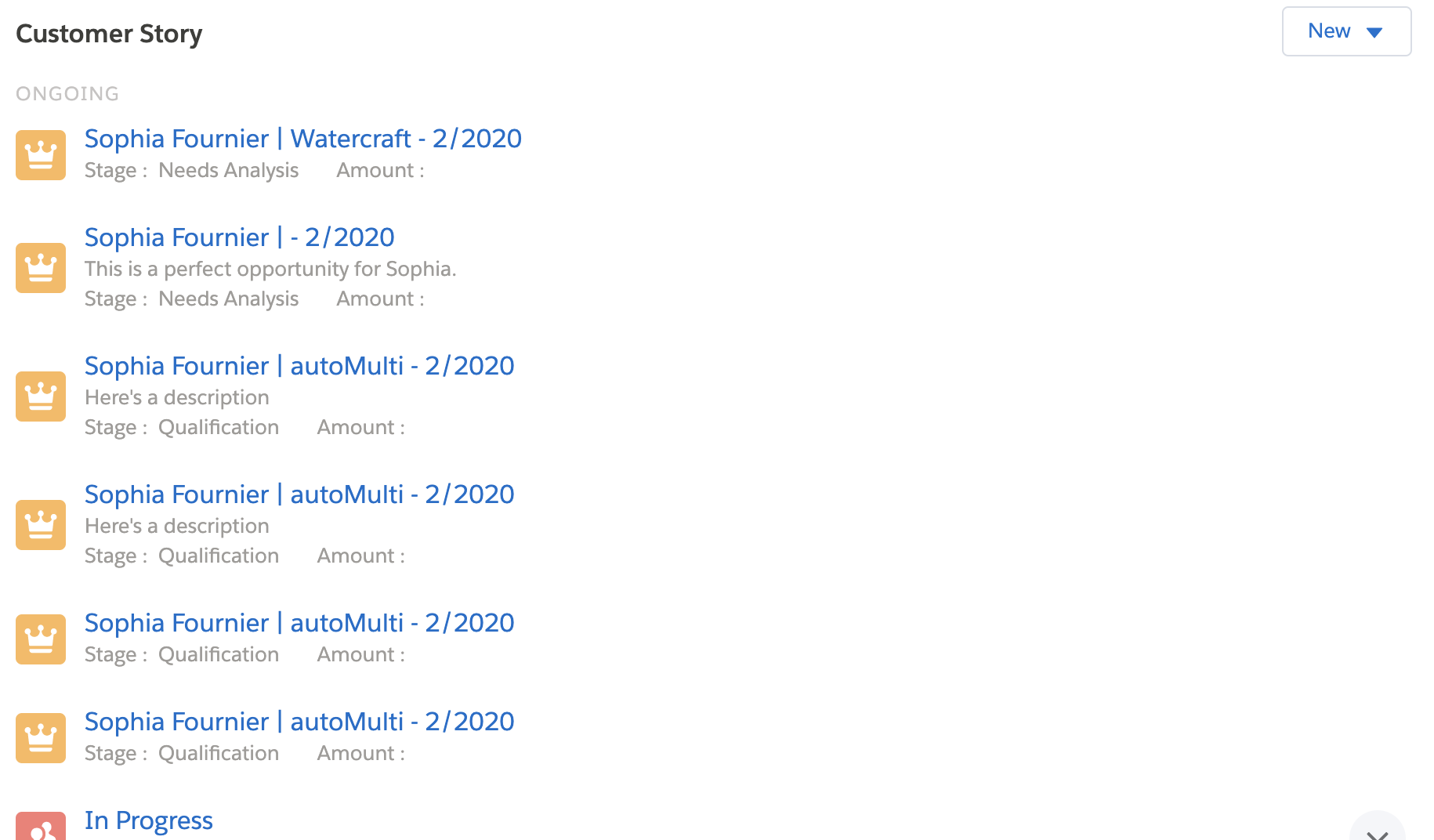
For the managed package runtime, a Customer Story is a history of events for an Account or a Contact. Customer stories are driven by metadata configuration. It displays a timeline of all interactions with the customer in a single, chronological feed.
 This information is for Omnistudio for Managed Packages. For Omnistudio on standard runtime, see Omnistudio Help.
- Add a Customer Story to a Page with the Story-SLDS Component (Managed Package)
For the managed package runtime, add a Customer Story to an Account, Contact, Household, or Opportunity page layout with thestory-sldscomponent. Display a timeline of all interactions with a customer in a single, chronological feed. - Add a Customer Story to a Page as a Visualforce Component (Managed Package)
For the managed package runtime, add a Customer Story to an Account, Contact, Household, or Opportunity page layout using a Visualforce component. Display a timeline of all interactions with a customer in a single, chronological feed. - Configure the Objects Displayed in a Customer Story (Managed Package)
For the managed package runtime, configure Story Object Configuration when adding a Customer Story to a new page layout. For example, create new object configurations for the Opportunity object. - Add a New Object to the Customer Story (Managed Package)
For the managed package runtime, the Customer Story includes default customer activities depending on your org's industry. You can also add new story objects to the timeline. Use the Story List Page Limit custom setting to set the maximum number of records returned per story object. - Remove an Object from the Customer Story (Managed Package)
For the managed package runtime, you can remove any of the preconfigured objects from the Customer Story. The Vlocity Customer Story displays a timeline of all interactions with the customer in a single, chronological feed. - Modify the Story List Page Limit (Managed Package)
For the managed package runtime, set the number of records displayed on your Customer Story. When you add your Customer Story as a story-slds component, you can update the pageSize parameter from the default 10 to a different number. If the API returns no page limit, the Page Limit number set in Setup > Custom Settings > Story List Page Limit is used instead. - Add or Modify a Customer Story Icon (Managed Package)
For the managed package runtime, in the Customer Story, each story object type has an associated icon that appears next to the title of the story item. The icons are automatically retrieved based on the object type.
Did this article solve your issue?
Let us know so we can improve!
