
You are here:
Work with Formulas in Edit Block
Perform equations and combine strings by using Formula Elements. Place formulas within an Edit Block to access element values within a specific Edit Block entry. Place Formula outside of the Edit Block in the same Step to access an element value for all of the Edit Block entries.
- Add a Formula element to the Edit Block.
- Using the merge field syntax, add the Edit Block's Element Name and the Element Name for the element you want to access in the Formula. For example, %EditBlock:FirstName%. For more information on merge fields, see Access Omniscript Data JSON with Merge Fields.
- Add a |n after the Edit Block element name to set the formula to only access the merge field's value for its instance. Using the |n syntax is necessary because the Edit Block stores entry values in an array format. The resulting syntax is %EditBlock|n:FirstName%.
-
Concatenate values by combining them using the |n syntax. For example,
%EditBlock|n:FirstName% + " " + %EditBlock|n:LastName%.
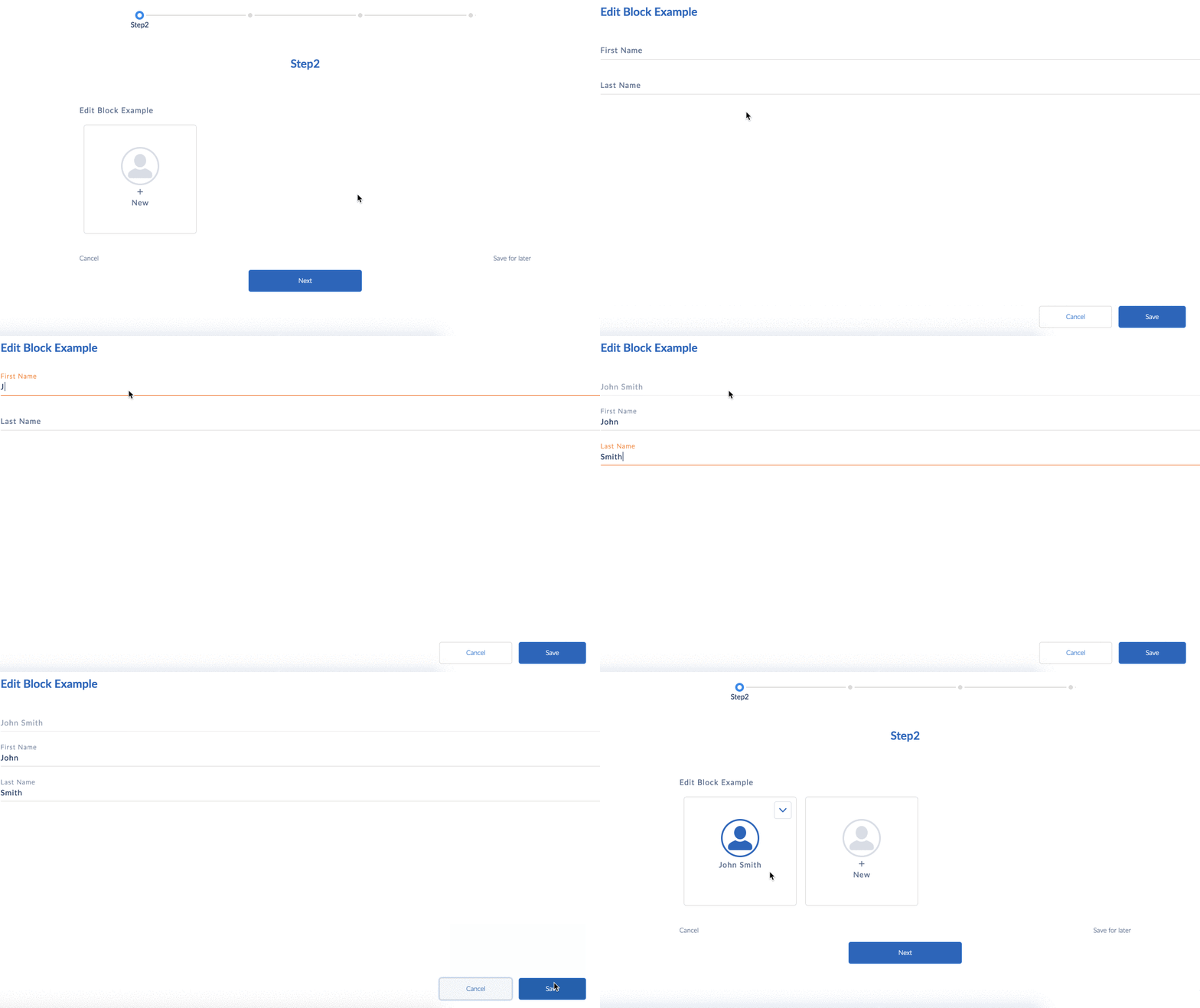
You can easily validate the Edit Blocks by using formulas. For example, EditBlock1 has fields Name, Xfield, Yfield, and sizefield.
To validate EditBlock1, use these formulas:
- Number of rows in EditBlock1:
COUNT(%EditBlock1%) - Verify if there's a row with value
X = Test:IF(CONTAINS(%EditBlock1:Xfield%, "Test"),true,false) - Verify if all
Ycolumns are null:IF(%EditBlock1:Yfield%==NULL,true,false) - Total sum of sizefield:
SUM(%EditBlock1:sizefield%)

When working with validations, formulas, or messaging elements in Omniscripts, always use
the |n notation to reference fields in Edit and Repeat blocks. Without
it, only the first row is evaluated.
For example, instead of:
use:
This ensures the validation checks the current row, not just the first one, preventing incorrect results.
Access Index of an Edit Block Array in a Formula
Access each index of an Edit Block array in a formula.
- Place a Formula outside of the Edit Block.
- In the Formula editor, add the Element Name using the merge field syntax. For example, to return the sum of all the entries for a Number element in an Edit Block, you would use the following syntax in the formula editor: SUM(%EditBlock1:NetIncome%), where NetIncome is the name of a Number element.
- (Optional) When using the vlcEditBlockFS.html template, display the formula at the top of the Edit Block by adding the Formula element's name to the Edit Block's Sum Element property.
