
You are here:
CRM Analytics Dashboards in Quip
Add live CRM Analytics dashboards to your documents and templates. You can update dashboard filters, interact with the components, and collaborate with your team on live Salesforce data.
| Available in: Lightning Experience |
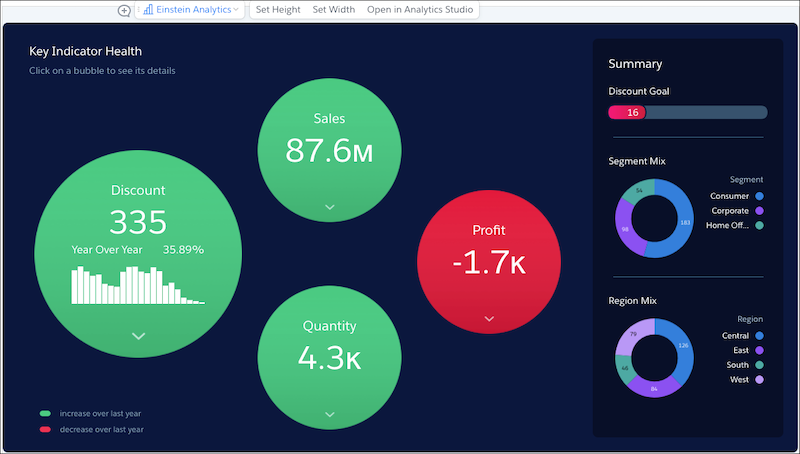
Keep all of your account information in one place with CRM Analytics dashboards in your Account Plans. With interactive filtering, you can get personalized dashboards that help you focus on closing your opportunities. Your Account Plans combine the power of free-form content and Salesforce data, saving you time switching between Quip and Salesforce.

Make your CRM Analytics dashboards dynamic with Template Mode. After you set it up using mail merge syntax, dashboards added to an embedded document auto-populate based on the Salesforce record.
- Set Up the CRM Analytics Live App in Quip
Set up your organization to use CRM Analytics dashboards in Quip. After you set it up, users can see and update filters directly in their documents and slides. - CRM Analytics Live App Considerations
As you add live CRM Analytics dashboards to your documents, be aware of these considerations. - Filter CRM Analytics Dashboards Based on a Salesforce Record
Use Template Mode to add live CRM Analytics dashboards to your templates that auto-filter based on the Salesforce record they’re embedded in.
