
You are here:
Report on Quip Usage with Salesforce Reports
Get metrics on how your users engage with templates and documents embedded in Salesforce. Create custom Quip reports and add them to your Lightning dashboards.
Required Editions
| Available in: Lightning Experience |
| User Permissions Needed | |
|---|---|
| To create and update custom report types: |
|
| To build a dashboard: |
|
Quip engagement metrics apply to templates and documents added to Quip Lightning components. Quip engagement metrics are turned on by default in all orgs with Quip enabled, except for Salesforce sandboxes. It takes 24 hours for metrics data to refresh.
-
Enable the Quip Metrics permission set.
- In Setup, enter Permission Sets in the Quick Find box.
- Select the permission set you want to assign Quip engagement metrics to, or assign it to a new one. Users assigned the Quip Metrics permission set can see all linked document titles, regardless of their individual access to them.
- Under System, click System Permissions and then Edit.
- Enable Quip Metrics.
- Save the action.
-
To add metrics for templates and documents to a Lightning report, create a custom report
type.
- In Setup, enter Report Types in the Quick Find box.
- Click New Custom Report Type.
-
Select a Quip Primary Object for your custom report type.
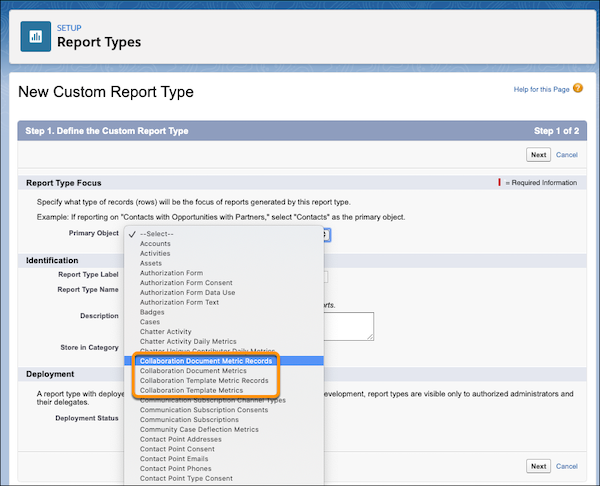
 Tip Quip objects begin with Collaboration. See Quip Engagement Objects.
 -
Enter the Report Type Label and the Report Type
Name.
The label can be up to 50 characters long. If you enter a name that is longer than 50 characters, the name gets truncated. SOAP API uses the name.
- Enter a description for your custom report type of up to 255 characters. If you enter a name that is longer than 255 characters, the name gets truncated.
- Select the category where you want to store the custom report type.
- Select a Deployment Status. Click Next and then save your changes. Quip metric objects don’t have any child objects.
- To use Collaboration Document Metrics Records or Collaboration Template Metrics Records to get metrics on specific document fields like document titles, add fields via lookup.
-
Click Edit Layout.
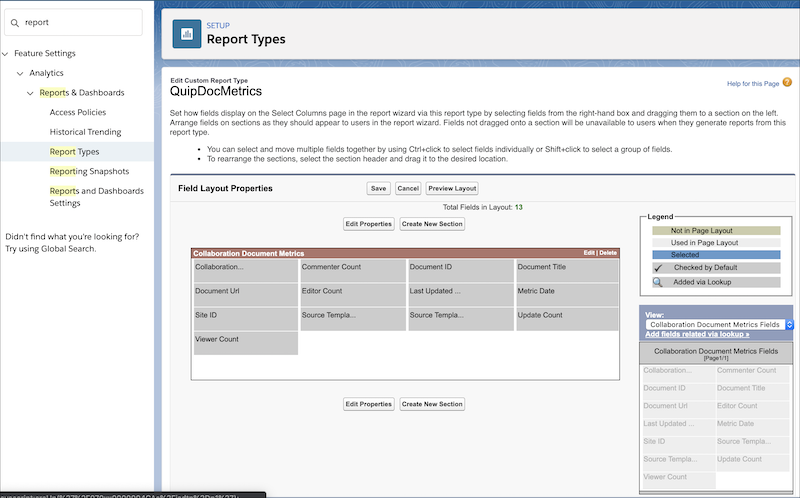
- Under View: Collaboration Document Metric Record Fields, click Add fields related via lookup.
- Select Collaboration Document Metric, and choose the fields you want to add. Click OK.
- Save the action.
-
Create a report using your new custom report type.
- In Salesforce, go the Reports tab and click New Report.
-
Select your new custom report type and click Continue.
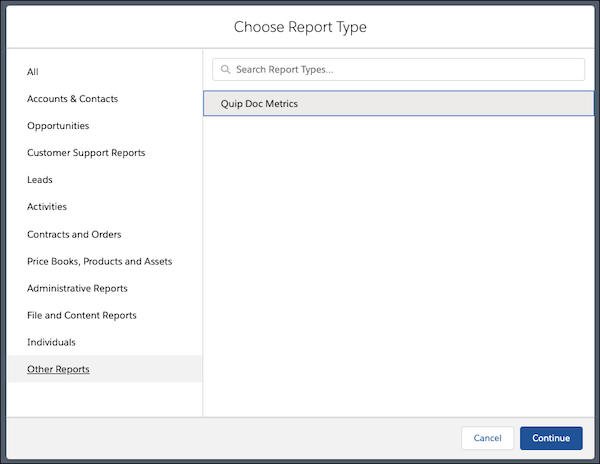
- Set the Last Updated Date to All Time and click Run.
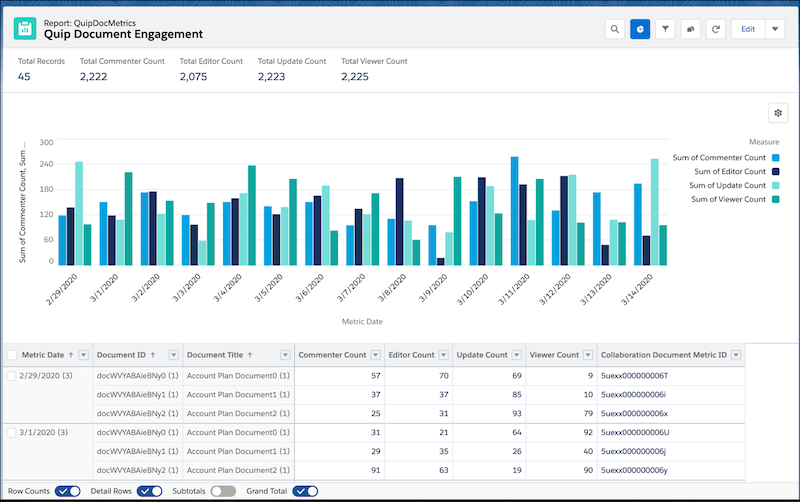
- Add your report to an existing or new Lightning dashboard.
Did this article solve your issue?
Let us know so we can improve!
