
You are here:
Salesforce Mobile App Considerations for Tablets
Learn about the layout and special considerations for using the Salesforce mobile app on tablets.
Required Editions
| Setup for the Salesforce mobile app available in: both Salesforce Classic and Lightning Experience |
| Setup available in Salesforce Classic in: all editions except Database.com |
| Setup available in Lightning Experience in: Group, Professional, Enterprise, Performance, Unlimited, and Developer Editions |
Lightning on Tablet
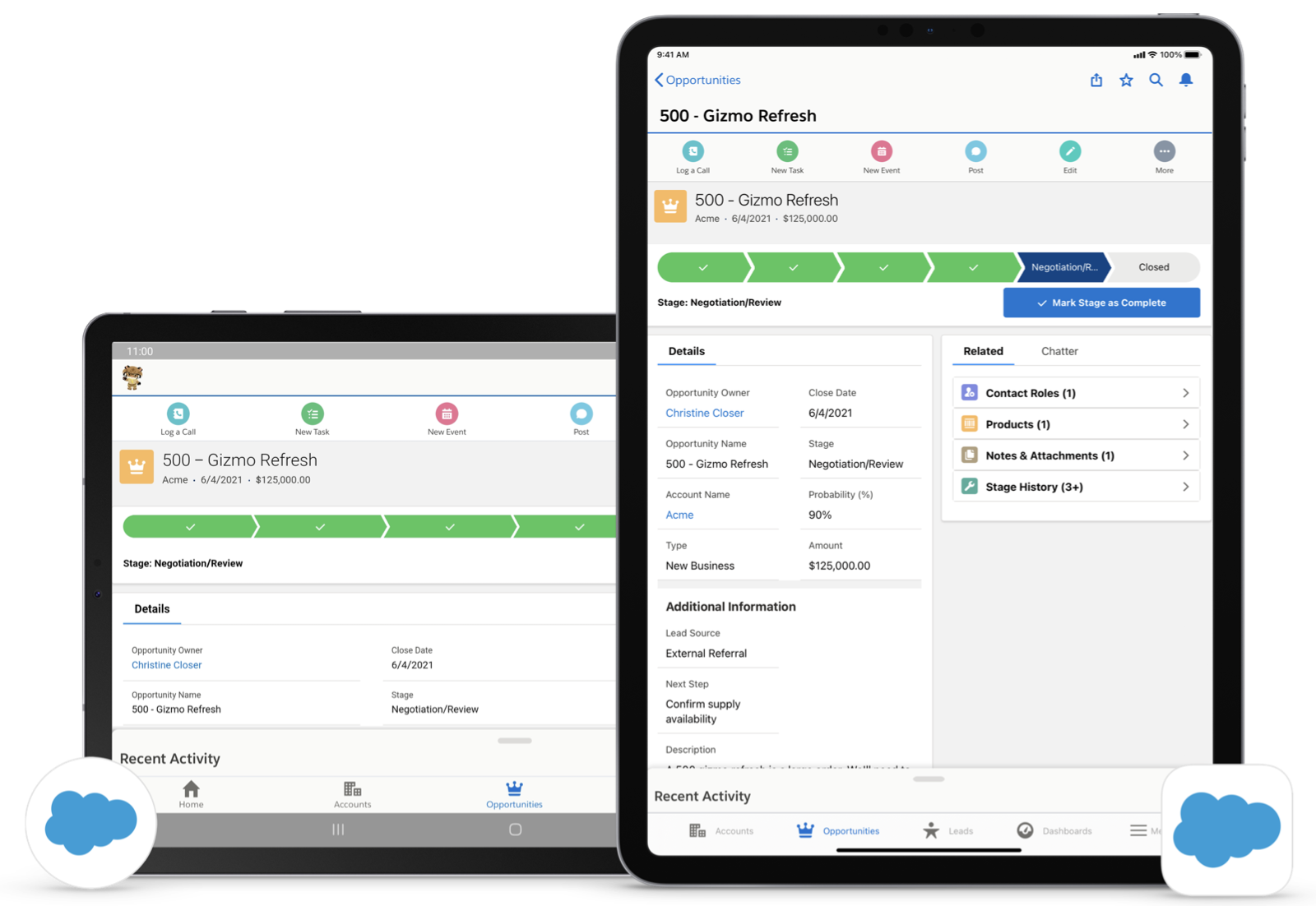
The full-width Lightning on tablet experience is performance-tuned for tablet users. It supports Lightning apps, navigation, record pages, rotation between portrait and landscape modes, and design time previews in Lightning App Builder. The new tablet experience runs on all currently supported iPad models and many Android tablet models.
In Winter ’22, the full-width tablet experience became the default tablet experience for new organizations. As of Spring ‘23, all organizations default to Lightning on tablet.
The key features include
- Lightning Apps that were previously built and activated for mobile phones are instantly
useable in this experience.
- Lightning app pages and record pages that are activated for mobile phones work seamlessly on tablet. Lightning on Tablet also respects component visibility rules for the phone form factor.
- Mobile-specific components were tested and confirmed working in the new tablet experience.
- Lighting App Builder has been enhanced with support for tablets.
- Preview record and app page layouts using Tablet (Landscape) or Tablet (Portrait) mode.
- Analyze your app’s performance using the new tablet-specific guidance built into the Page Analysis tool
- Rotation between landscape and portrait mode is supported on both iPad and Android tablets and page layouts are automatically adjusted.
Custom Component Considerations for Lightning on Tablet
- If you have custom components on mobile, it’s recommended that you test them on tablets to verify layout and functionality.
- For custom Lightning web components logic, import FORM_FACTOR
from ‘@salesforce/client/formFactor’ and check against MEDIUM to
test if the component is rendering on a tablet.
 Warning MEDIUM form-factor for components isn’t officially supported, but logic checks against MEDIUM form-factor to change behavior for tablet can work. If a custom page or component is activated on SMALL form-factor (phone), it renders on tablet (MEDIUM) by default.
 - For custom Aura components logic, if you want to add special logic for tablet,
use:
For mobile use cases, use:$A.get(“$Browser”).isTablet!$A.get(“$Browser”).isDesktop
Known Component Issues
- Surveys components don’t render correctly on the tablet and aren’t certain to be supported on mobile in the future.
- Task List View component doesn’t function properly on the tablet. To work around this issue, use Task Home instead.
- Some Commerce Cloud components such as campaignTileList don’t render correctly on the tablet and aren’t certain to be supported on mobile in the future.
Have you tried the new Lightnight on tablet experience? Send feedback to tablet-feedback@salesforce.com.
Lightning Experience on iPad Safari
As of Summer ’20, the mobile website experience isn’t supported.
If you have iPad users, Lightning Experience on iPad Safari is another way to use Salesforce on the go. To get started, check out Technical Requirements for Tablets. You can also learn more about iPadOS and how it affects Salesforce in the knowledge article, Salesforce on the New iPadOS Operating System.
