
You are here:
App Distribution Methods
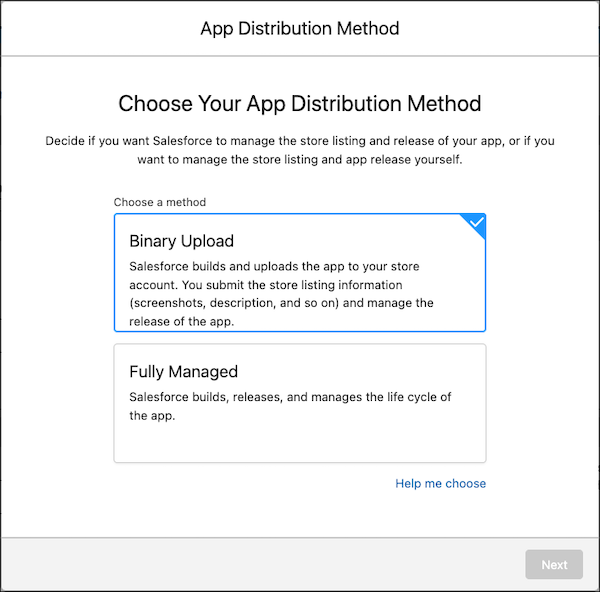
Choose whether you want Salesforce to manage the release of your branded app, or if you want to manage the release of the app on your own.
Fully Managed Distribution Method
If you choose Fully Managed, Salesforce builds and uploads your app to your App Store’s accounts after you grant access to the credentials. Salesforce then manages your App Store listing information, app branding assets, app updates, and releasing the app to your users.
This distribution method is ideal for orgs that aren’t familiar with the app stores and its complexities.
Binary Upload Distribution Method
If you choose Binary Upload, you’re responsible for submitting App Store listing information, submitting the app for review, and releasing the app to your users. After you invite Salesforce to your App Store’s accounts and grant access to the credentials, Salesforce uploads the app to your account. Salesforce then manages your app branding assets and app updates.
This distribution method is ideal for orgs who already have apps in the app stores and are familiar with how the app stores work. You can take advantage of App Store features like staged releases.
Choose your App Distribution Method before choosing your App Distribution Type.

- Advantages of Binary Upload Distribution Method
If your org is familiar with how the app stores work, the Binary Upload Distribution Method has many advantages for managing the release of your app on your end.
