
You are here:
Enable Scale Center for Standard Users
Use the Scale Center Standard Permission Set to enable access for standard users who aren’t System Administrators.
Your org’s admin can enable access for 5 additional users and see how many licenses are being used. Only your org’s admin can see the Permission Set Licenses section in your Company Information settings.
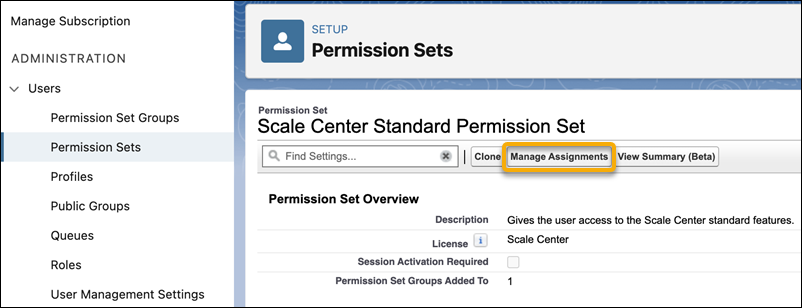
- From Setup, go to Administration, then Users, and then click Permission Sets.
- Click Scale Center Standard Permission Set.
-
Click Manage Assignments.
-
Click Add Assignments.
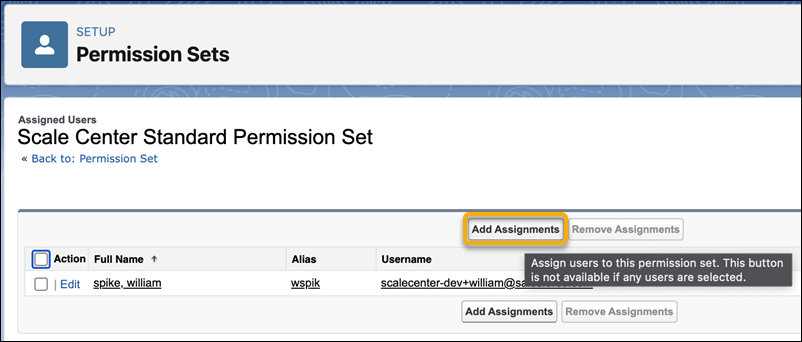
- Select 1 or more users.
- Click Assign, and then save your changes.
Did this article solve your issue?
Let us know so we can improve!
