Loading
Salesforce Data Pipelines
Table of Contents
Select Filters

          No results
          No results
          Here are some search tips

          Check the spelling of your keywords.
          Use more general search terms.
          Select fewer filters to broaden your search.

          Search all of Salesforce Help
          Schedule a Recipe to Run Automatically

          Schedule a Recipe to Run Automatically

          You can schedule a Salesforce Data Pipelines recipe to run at a specific time or after an event. Use time-based scheduling to ensure that fresh data is available by a particular time or to run the job during non-business hours. You can schedule a recipe to run hourly, weekly, monthly, or on specific days of the week or dates. Use event-based scheduling to run a recipe after the sync runs to ensure that datasets include the latest data. If you split data prep across multiple recipes, use event-based scheduling to chain these recipes together to obtain the desired outcome automatically.

          Required Editions

          Available in: Lightning Experience
          Available with Salesforce Data Pipelines, which is available for an extra cost in Enterprise, Performance, and Unlimited Editions
          User Permissions Needed
          To run a recipe: Edit Dataset Recipes OR Edit CRM Analytics Dataflows
          1. In Data Manager, on the Recipes tab, click the triangle Actions button next to the recipe name, and select Schedule.
          2. To run the recipe at a specific time, under Schedule Mode, select Time-based.
          3. Select the time to run the recipe. The recipe runs according to the time zone of the user who set the schedule.
            If you have a CRM Analytics Plus license, you can set the schedule to run every 5, 15, 20, or 30 minutes. This feature isn’t available in sandbox orgs.

            If you schedule the recipe to run by minute or hour, select Stop schedule at a specific time to stop the schedule from adding more recipe runs to the queue after a certain time. For example, to restrict runs to office hours, set a job to start at 8:00 AM, run every hour, and stop at 5:00 PM.

            If you don’t select a time, the schedule stops adding recipe runs to the queue at 11:59 PM.

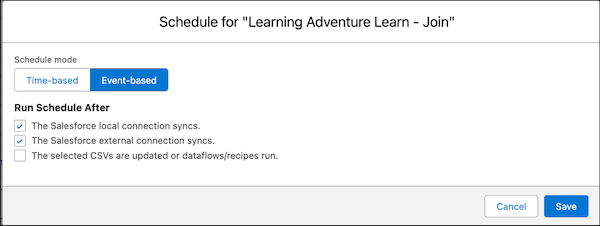
          4. To schedule the recipe to run after its related data sync, external connection sync, CSV upload, or another recipe finishes, under Schedule Mode, select Event-based.
            1. Select the events to run the recipe schedule after. You can select one or more events. For example, if the recipe pulls data from the Salesforce Accounts and Opportunities objects and uses data from an external connection, select both The Salesforce local syncs and The Salesforce external connection syncs. The event-based schedule for a recipe with multiple events selected.
            2. If you select The selected CSVs are updated or dataflow/recipes run, choose the CSVs, recipes, or dataflows from the list to trigger this schedule. Use this option to wait for fresh data or to run another preceding recipe or dataflow first. You can make multiple selections of different types, but each selection increases the complexity of the schedule. Only recipe runs that were successful or completed with warnings trigger this schedule. Only CSVs that have been uploaded in the last 30 days are available in the list. If you don’t see a CSV you need, upload it again. The maximum dependent jobs for an event-based schedule is 5.
            3. An event-based schedule is triggered after a sync on objects from local Salesforce orgs, a sync on objects from external connections, and uploads from CSVs. When you use data from multiple connections in a recipe or dataflow, event-based scheduling runs after all the connected objects are synced. For example, if a local connection is scheduled to sync hourly and an external connection syncs daily, an event-based scheduled recipe using data from both runs daily.

              When using a single local connection, the job only waits for the objects used in the recipe to sync before it triggers the recipe to run. It doesn't wait for any unrelated objects to complete their data sync.

          5. Click Save.

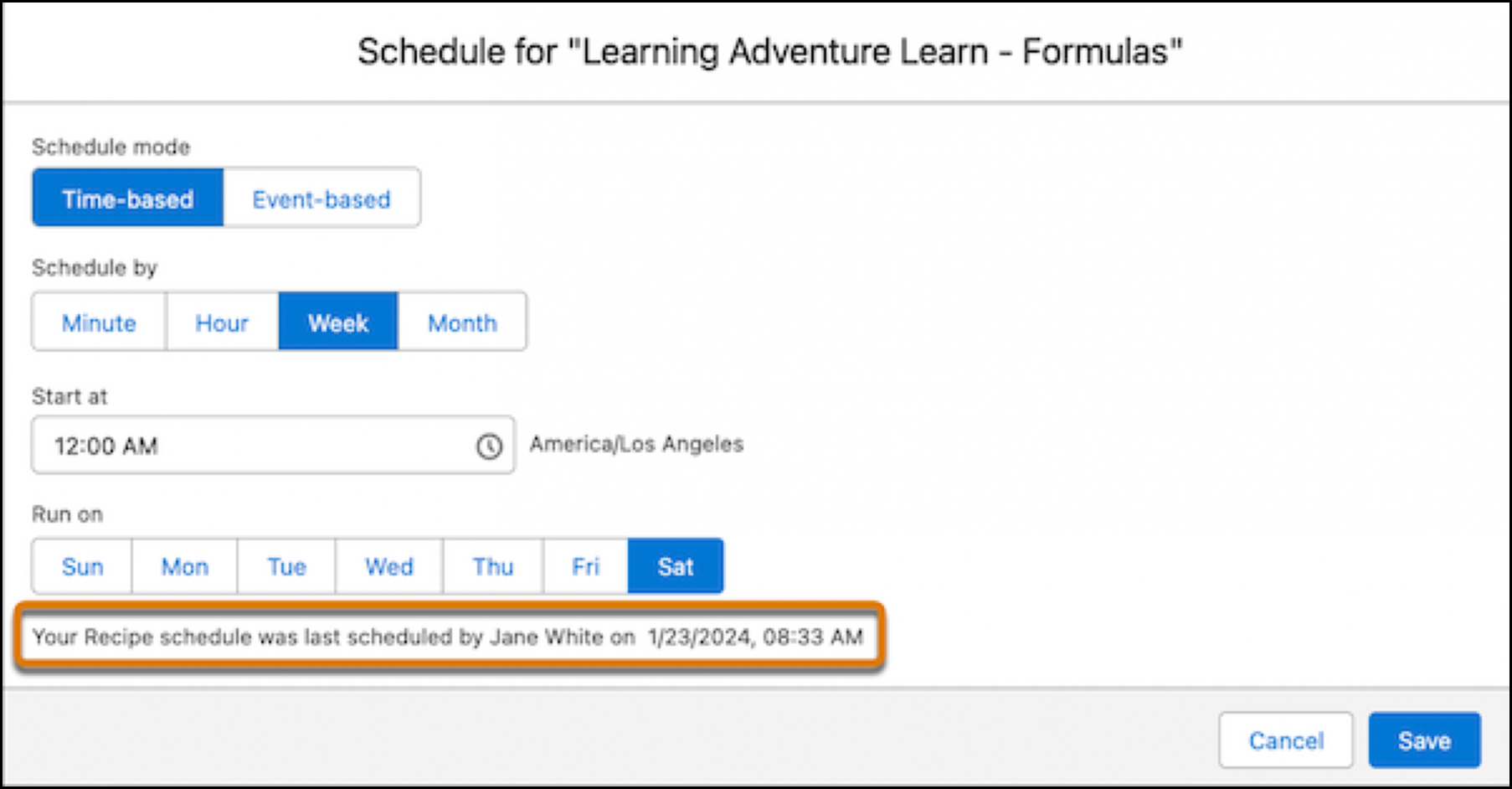
          Schedules for data sync, dataflow, and recipes are removed 30 days after the last save in Sandbox and Developer edition orgs, and 10 days after the last save in Trial orgs. Users subscribed to notifications receive an email when a schedule is removed. Set the schedule again at any time. The scheduler provides details on who created or modified the schedule and when the schedule was created or last modified.

          The scheduler with audit information on when the schedule was last updated and by who.

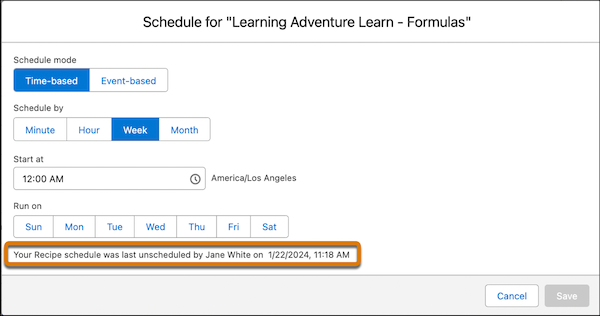
          If the schedule is deleted, the scheduler shows who unscheduled it and when. When you deactivate a user who scheduled a recipe, the recipe schedule is deleted and the recipe is unscheduled.

          The scheduler with audit information on who deleted the schedule and when.
           
          Loading
          Salesforce Help | Article