
You are here:
Aggregate Node: Hierarchical Aggregation
Use Hierarchical Aggregation in Salesforce Data Pipelines to sum measures across multilevel data. For example, you can roll up revenues, assets, or liabilities for companies and their subsidiaries. Or, you can roll salesperson data up the management chain to see aggregates by team, region, area, and beyond. Hierarchical Aggregation requires rows with an ID and a parent ID. Many rows can have the same parent ID, or the parent ID can be empty. Some rows can even share an ID, such as a record with multiple parents. You can also use the optional roll up percentage to apply percentage splits to allocate portions to different parents, such as commission among members of the sales team.

If the data has duplicate rows with the same record ID and parent ID, you must clean the data. Run a standard aggregation before running the hierarchical aggregation.
For the same record, the amount should be consistent for all parents.
The Roll-up percentage should sum up <= 1.
| User Permissions Needed | |
|---|---|
| To manage and create a recipe: | Edit CRM Analytics Dataflows OR Edit Dataset Recipes |
- In a Data Prep recipe that already has at least one Input node, select the Add Node
button (
 ) between two nodes or at the end of the recipe. To show the Add Node button
between two nodes, hover the cursor on the connecting line.
) between two nodes or at the end of the recipe. To show the Add Node button
between two nodes, hover the cursor on the connecting line. - In the Add Node dialog box, select Aggregate.
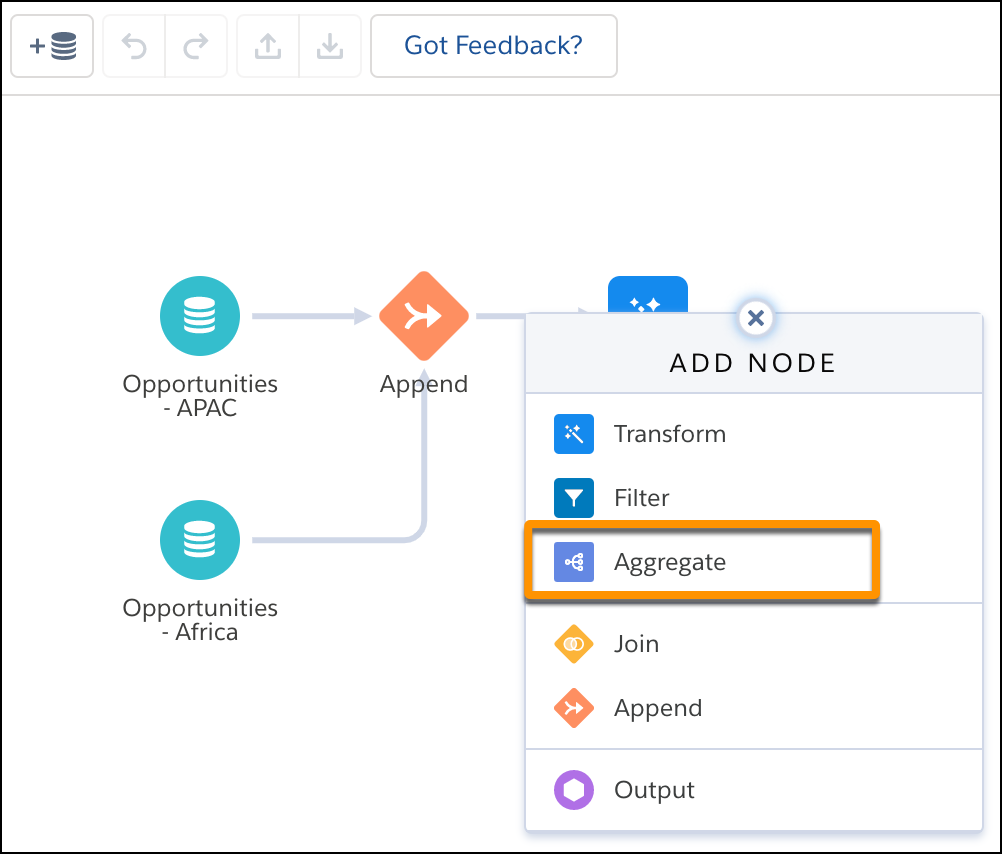
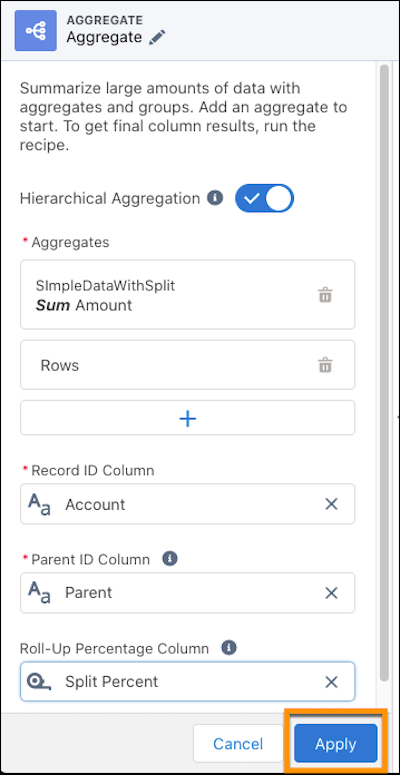
- In the Aggregate settings panel, turn on Hierarchical
Aggregation.
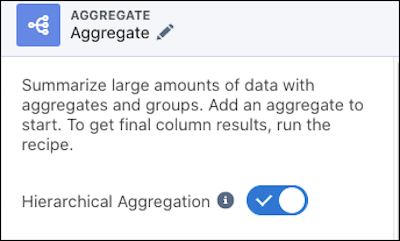
- Add at least one Aggregate, such as the sum of a measure or
count of rows.
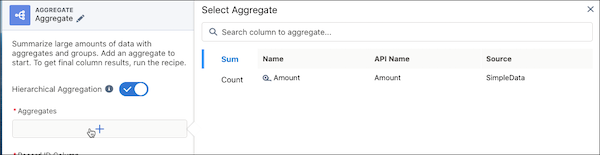
- Select the Record ID Column. The record ID can be any dimension
in the dataset that defines the row, such as salesperson or account name.
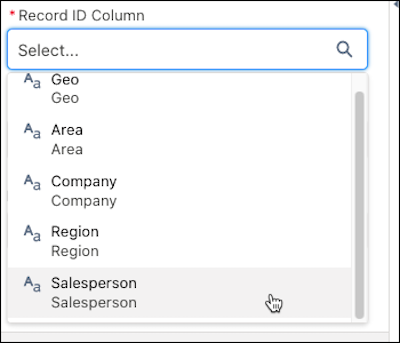
- Specify the Parent ID Column. The parent ID identifies which
record each row rolls up to. This can be any dimension in the dataset that has not been
selected as the record ID, such as the manager or parent account. Not every record needs
to have a parent, for instance if it’s at the top of a hierarchy.
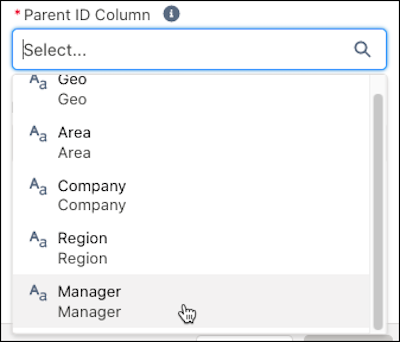 Note Null values are accepted in the parent ID column.
 - Optionally, select a Roll-Up Percentage Column to apply a
percentage split. The aggregated value is multiplied by the number in this column. For
example, your records have more than one parent, and you want to roll them up
differently based on the parent.
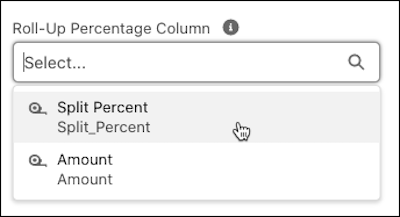
- To add the Hierarchical Aggregation to the recipe, click
Apply.
- Save the recipe.
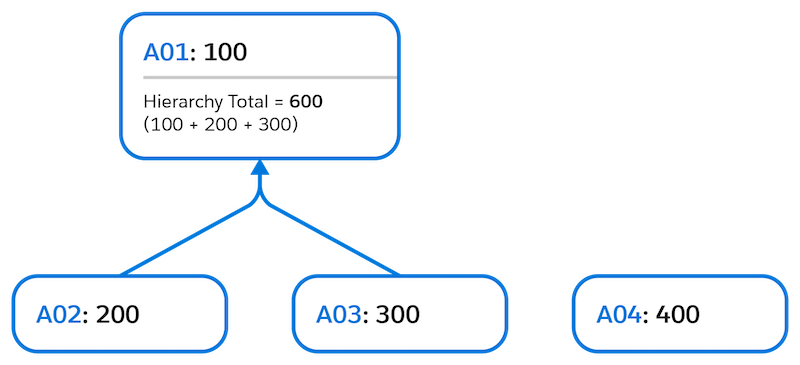
Example 1: Simple hierarchy such as region and country.
This example shows:
- Multiple records with the same parent
- Mix of records with and without a parent
- A record outside of the hierarchy
- Parent with individual value
| Without Hierarchical Aggregation | With Hierarchical Aggregation | ||||
|---|---|---|---|---|---|
| Record ID | Parent ID | Amount | Record ID | Amount | |
| A01 | 100 | A01 | 600 | ||
| A02 | A01 | 200 | A02 | 200 | |
| A03 | A01 | 300 | A03 | 300 | |
| A04 | 400 | A04 | 400 | ||
Example 2 Intermediate hierarchy such as an org chart.
This example shows:
- Multiple records with the same parent
- Mix of records with and without a parent
- A record outside of the hierarchy
- Parent with individual value
- Parent without individual value
- Multiple hierarchies
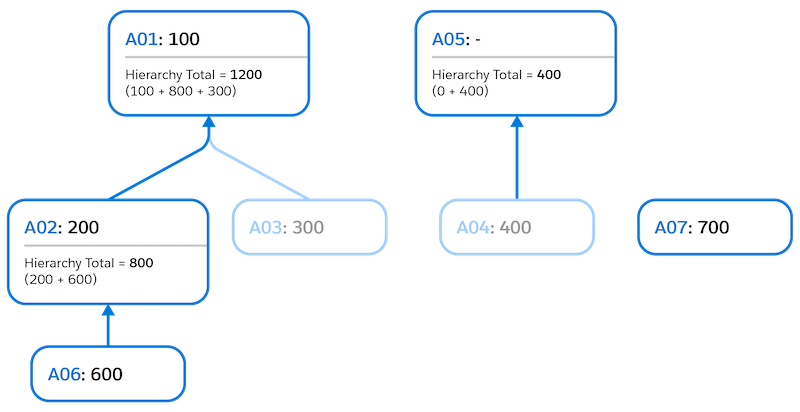
| Without Hierarchical Aggregation | With Hierarchical Aggregation | ||||
|---|---|---|---|---|---|
| Record ID | Parent ID | Amount | Record ID | Amount | |
| A01 | 100 | A01 | 1200 | ||
| A02 | A01 | 200 | A02 | 800 | |
| A03 | A01 | 300 | A03 | 300 | |
| A04 | A05 | 400 | A04 | 400 | |
| A06 | A02 | 600 | A05 | 400 | |
| A07 | 700 | A06 | 600 | ||
| A07 | 700 | ||||
Example 3 Complex hierarchy such as subsidiary ownership with split percentages.
This example shows:
- Multiple records with the same parent
- Mix of records with and without a parent
- A record outside of the hierarchy
- Parent with individual value
- Parent without individual value
- Multiple hierarchies
- Records with multiple parents Note A record has a row per each parent.
- Roll-up percentage values (percentage splits)
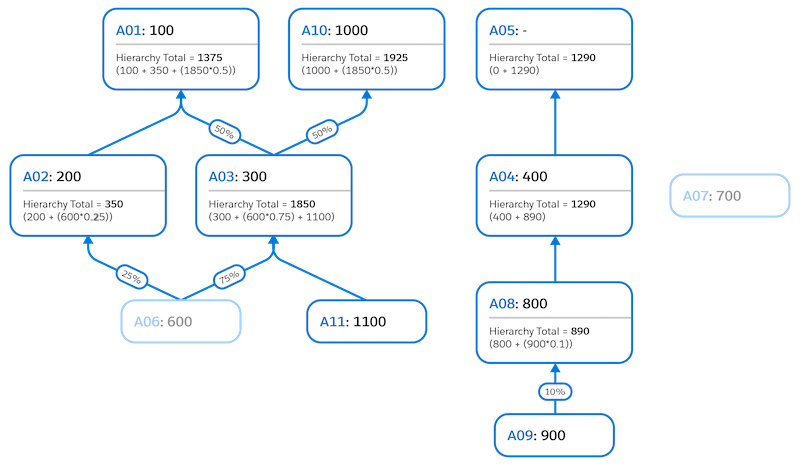
| Without Hierarchical Aggregation | With Hierarchical Aggregation | |||||
|---|---|---|---|---|---|---|
| Record ID | Parent ID | Amount | Percentage | Record ID | Amount | |
| A01 | 100 | A01 | 1375 | |||
| A02 | A01 | 200 | 1.00 | A02 | 350 | |
| A03 | A01 | 300 | 0.50 | A03 | 1850 | |
| A03 | A10 | 300 | 0.50 | A04 | 1290 | |
| A04 | A05 | 400 | 1.00 | A05 | 1290 | |
| A06 | A02 | 600 | 0.25 | A06 | 600 | |
| A06 | A03 | 600 | 0.75 | A07 | 700 | |
| A07 | 700 | A08 | 890 | |||
| A08 | A04 | 800 | 1.00 | A09 | 900 | |
| A09 | A08 | 900 | 0.10 | A10 | 1925 | |
| A10 | A11 | 1100 | ||||
| A11 | A03 | 1.00 | ||||
