Predict Missing Values Transformation: Fill In Missing Values
In Salesforce Data Pipelines, use the Predict Missing Values transformation in a Data
Prep recipe to complete your data by filling in missing values in a text column. Salesforce Data Pipelines Intelligently predicts values based on values in other strongly
correlated columns in your data.
Required Editions
Predict Missing Values Transformation: Fill In Missing Values
User Permissions
Needed
To create a recipe:
Edit CRM Analytics Dataflows OR Edit Dataset Recipes
Consider these limitations before using this feature.
If there aren’t enough rows to make accurate predictions, Salesforce Data Pipelines
doesn’t insert predicted values.
You can't apply transformations on predicted columns.
Recipes that predict values can take longer to run.
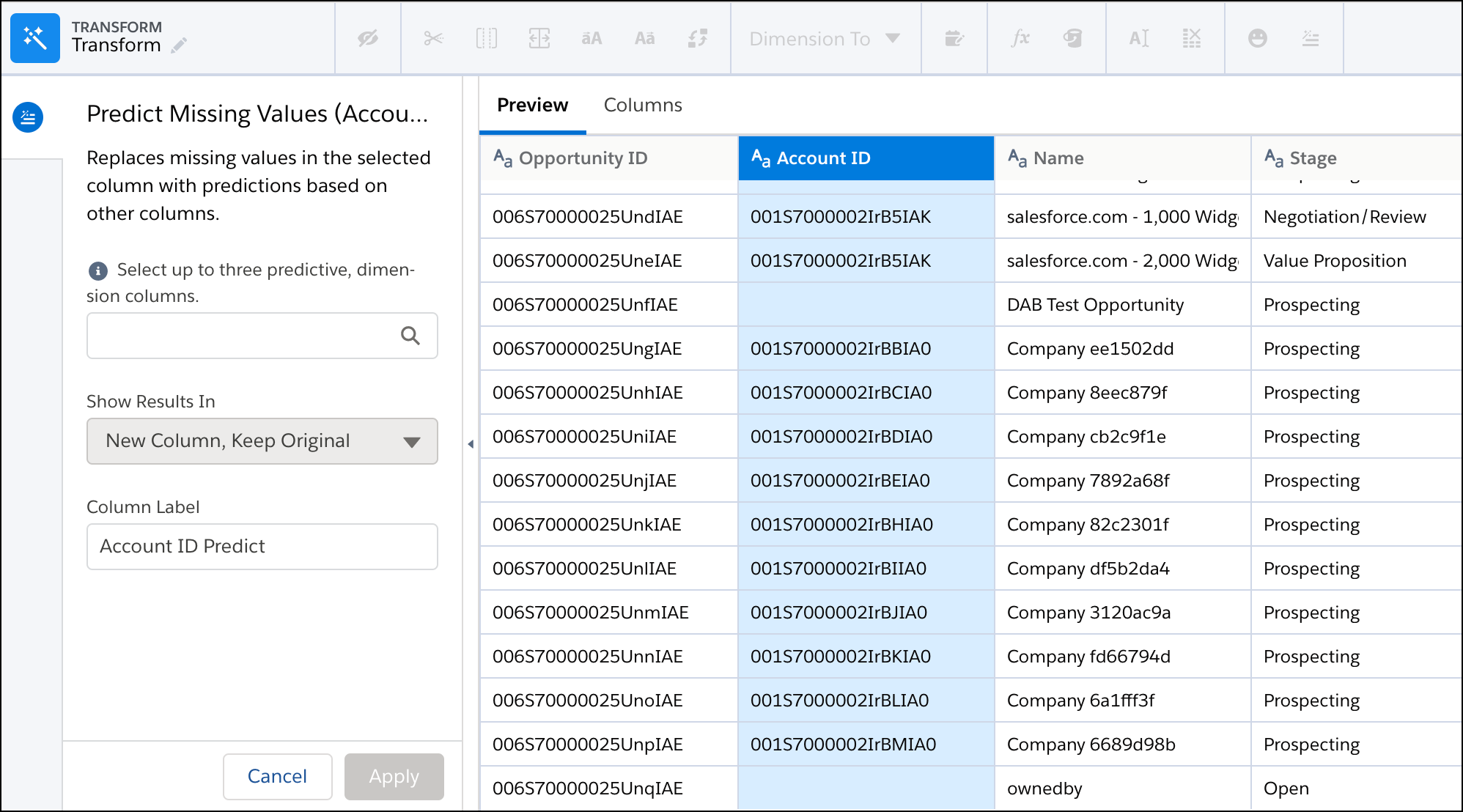
In a Transform node of a Data Prep recipe, select the text (dimension) column with
missing values in the Preview tab.
In the Transform toolbar, click the Predict Missing Values button ().
Select up to three text columns to use to predict the missing values for the selected
column.
Tip To make an accurate prediction, each column must have less than
200 unique values. Also, verify that these predictive columns contain clean, quality
data. For example, you have an Education predictive column that contains values such as
“Bachelors Degree” and “Bachelors.” Use the bucket transformation to bucket field values
with the same meaning. Then use the column with the clean data as a predictive column.
For more information about bucketing, see Bucket Transformations (see the following
link).
If needed, change the column label. This label appears as the column header in the
dataset.
Click Apply to add the transformation to the Transform node.
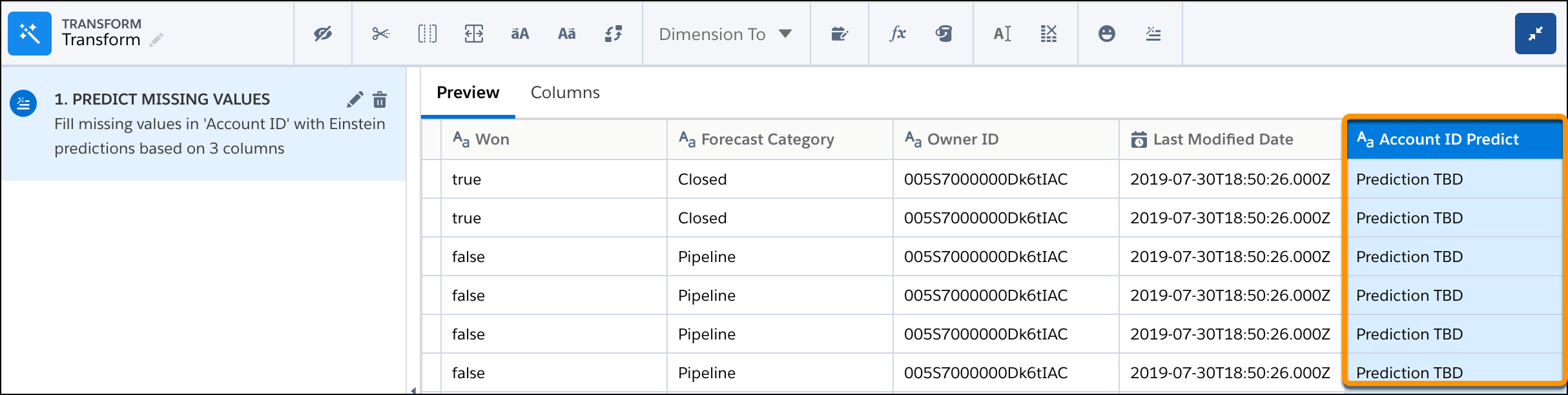
The preview shows the original column with the missing values and the new column
with “Predict” at the end of the header. The preview shows “Prediction TBD” for
predicted values in the new column. The predicted values don’t appear until after you
run the recipe.
To view the Graph area, click the Collapse button ().
Run the recipe to generate the predictions. You can view the dataset as a values table to
see the predictions. If needed, add the Drop Columns transformation after the Predict
Missing Values transformation to drop the original column from the dataset.
Did this article solve your issue?
Let us know so we can improve!
Loading
Salesforce Help | Article
Cookie Consent Manager
General Information
Required Cookies
Functional Cookies
Advertising Cookies
General Information
We use three kinds of cookies on our websites: required, functional, and advertising. You can choose whether functional and advertising cookies apply. Click on the different cookie categories to find out more about each category and to change the default settings.
Privacy Statement
Required Cookies
Always Active
Required cookies are necessary for basic website functionality. Some examples include: session cookies needed to transmit the website, authentication cookies, and security cookies.
Functional Cookies
Functional cookies enhance functions, performance, and services on the website. Some examples include: cookies used to analyze site traffic, cookies used for market research, and cookies used to display advertising that is not directed to a particular individual.
Advertising Cookies
Advertising cookies track activity across websites in order to understand a viewer’s interests, and direct them specific marketing. Some examples include: cookies used for remarketing, or interest-based advertising.