
You are here:
Assign the Permission Set License and Permission Set to Users
To enable a user to access Data Pipelines features, grant them the Use Data Pipelines Add On User Settings permission set license and the Data Pipelines Add On permission set.
- From Setup, in the Quick Find box, enter Users, then select
Users.
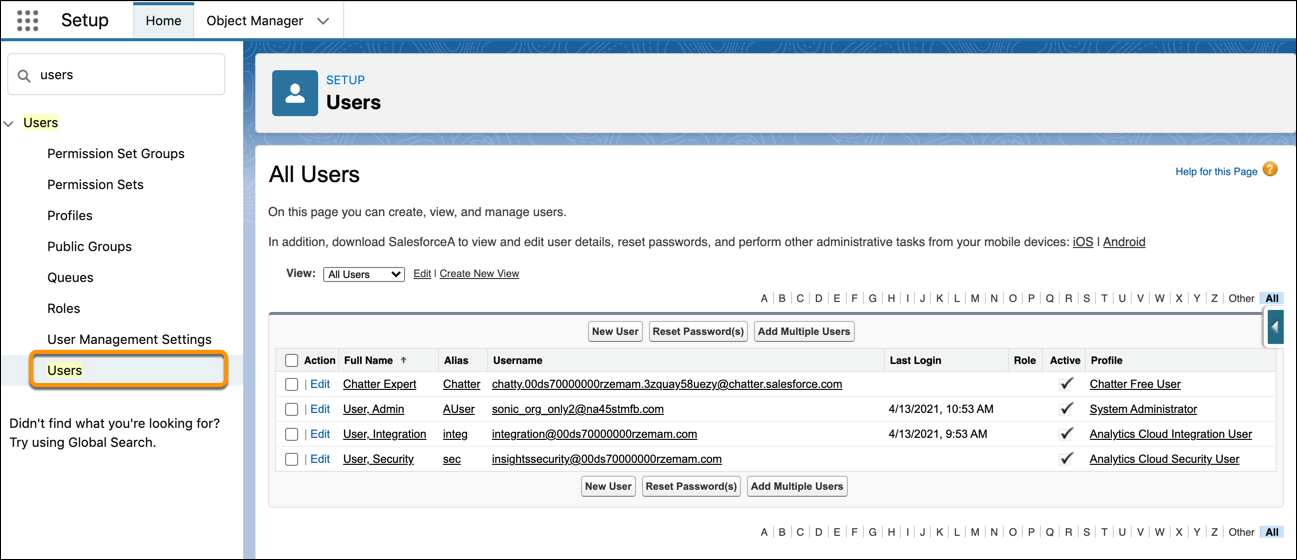
- Click the user’s name.
- Hover over Permission Set License Assignments, and click Edit
Assignments.
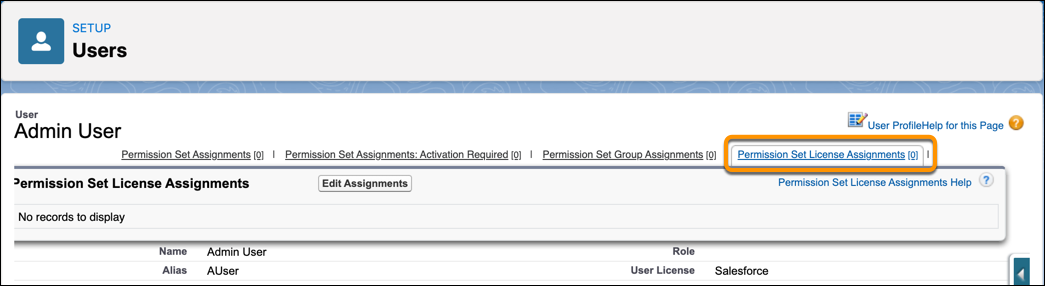
- To enable the permission set license, select Data Pipelines Add On User
Settings, and then save.

 Note The user must have one of these Salesforce user licenses to assign them the Data Pipelines Add On User Settings permission set license.
- Lightning Platform (app subscription)
- Lightning Platform (one app)
- Full CRM
- Salesforce Platform
- Salesforce Platform One
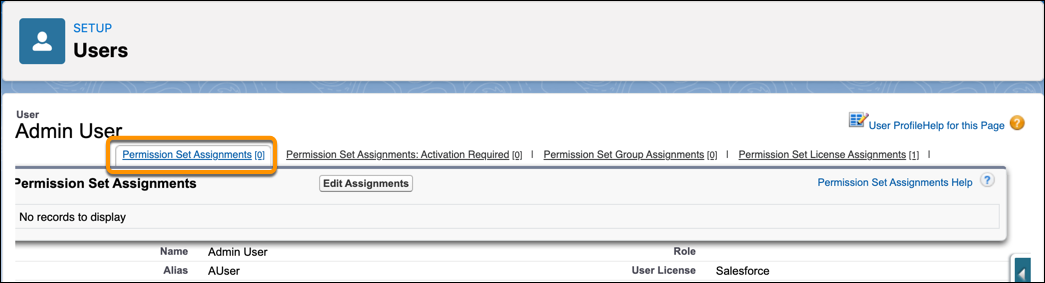
- Hover over Permission Set Assignments, and click Edit
Assignments.
 Tip For efficiency, you can assign a permission set to groups of users.
 - To assign all user permissions available in the Data Pipelines Add On User Settings permission set license, select the Data Pipelines Add On User option. Then click the Add button and save the changes.
Did this article solve your issue?
Let us know so we can improve!
