
You are here:
Share and Grant Access to Surveys
Collect feedback and collaborate on survey design by sharing surveys with your team.
| Available in: both Salesforce Classic and Lightning Experience |
| Available in: Enterprise, Unlimited, and Developer Editions |
| Available with the Survey Response Pack, Feedback Management - Starter, and Feedback Management - Growth licenses |
The organization-wide default sharing settings for all survey objects are private for both internal and external access, and can't be changed. Instead, manually share a survey with users or groups of users in your org.
- On the survey record page, click Sharing.
- Select a user type, and then search for the user, group, or role and subordinates with
whom you want to share the survey.
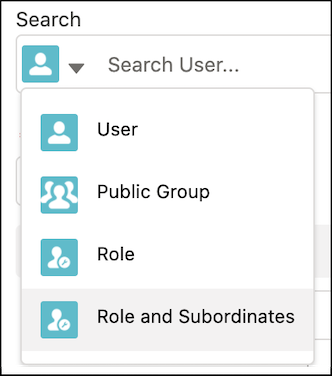
- For survey access level, select Read/Write to collaborate on creating surveys.
- Save your work.
- To remove access or to update the access level for a survey, in the Share window, click
Edit.
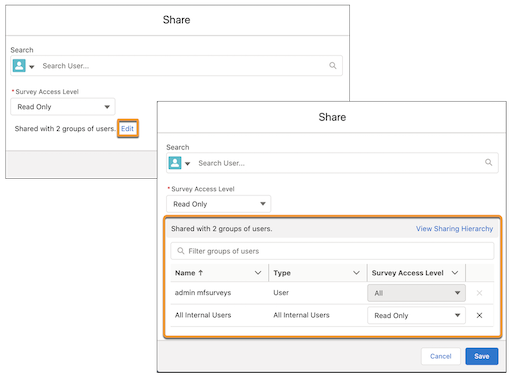
To view the sharing hierarchy and user access details, click View Sharing Hierarchy.
Did this article solve your issue?
Let us know so we can improve!
