
You are here:
Trailblazer Account Merges
Some actions trigger a Trailblazer account merge, combining activity from multiple accounts into one. You can choose to manually merge two or more accounts.
Required Editions
| Available in: All Editions |

Self-Service Account Merges
If you have two or more Salesforce-related identities and want to combine them into one, you can perform a self-service account merge.
When merging multiple accounts, Trailblazer combines:
A self-service account merge doesn’t use or deploy any permissions sets, profiles, or other security settings from the connected Salesforce instance. A merge doesn’t allow access to any of the data or metadata stored in Salesforce.

Tips for Working with Many Salesforce Accounts
The number of Salesforce accounts that a Trailblazer interacts with varies by role. Some Trailblazers interact with only one or a few Salesforce accounts. For example, they have a personal account for Trailhead challenges and another for their workplace. Other Trailblazers interact with many Salesforce accounts. For example, they perform Salesforce consulting work and log in to multiple orgs on behalf of clients each day. In the latter scenario, visiting sites that use a Trailblazer account, such as visiting AppExchange to install a package, can result in regular account merge requests. Account merges add your Salesforce account as a login method to your Trailblazer account. Data in each Salesforce account remains separate. Over time, a Trailblazer profile can accumulate many unwanted or infrequently used Salesforce accounts.
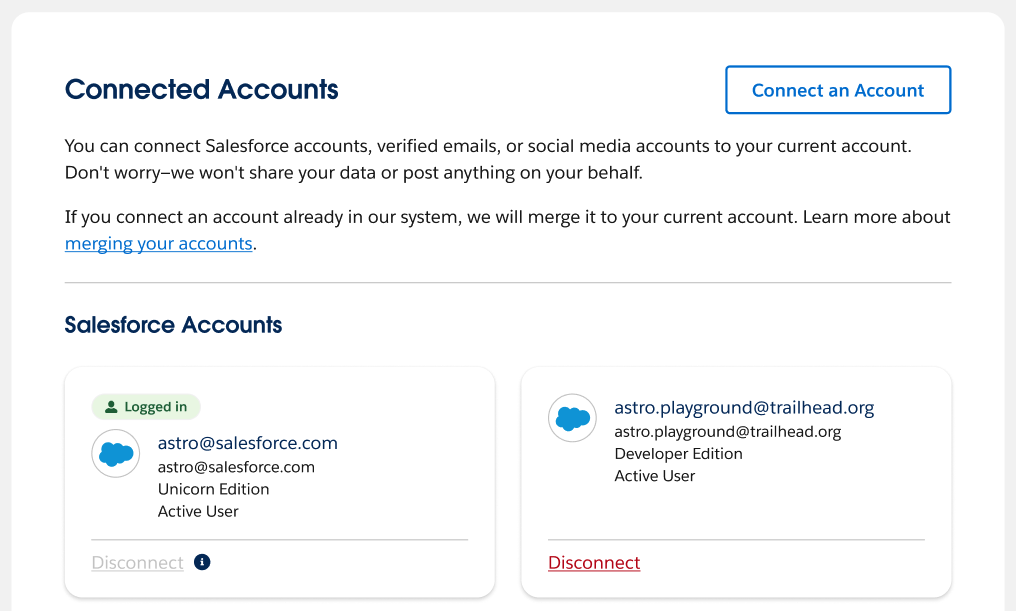
If you interact with many Salesforce accounts for your job, visit your Trailblazer profile periodically and delete the accounts that you don’t use often. Your profile’s connected Salesforce accounts appear on your Trailblazer profile settings page.
See Also
Merge Trailblazer Accounts
To combine two separate Salesforce-related accounts into one Trailblazer account, you can perform a self-service account merge.
Required Editions
| Available in: All Editions |
Before you begin, identify which account is primary and which is secondary. Your primary account is the one you want all the activity data (like badges, activity history, and votes) to appear in. All activity data from the secondary account moves to the primary account, excluding duplicate data. If your secondary account has other login identities associated with it—like a Salesforce, social, or email account—they’re merged, as well. Merging is an irreversible process—you don’t have access to your secondary account after the merge.
To merge your accounts:
- Log in to Trailblazer with your primary account.
- Click your profile image in the top-right corner and select Settings from the dropdown.
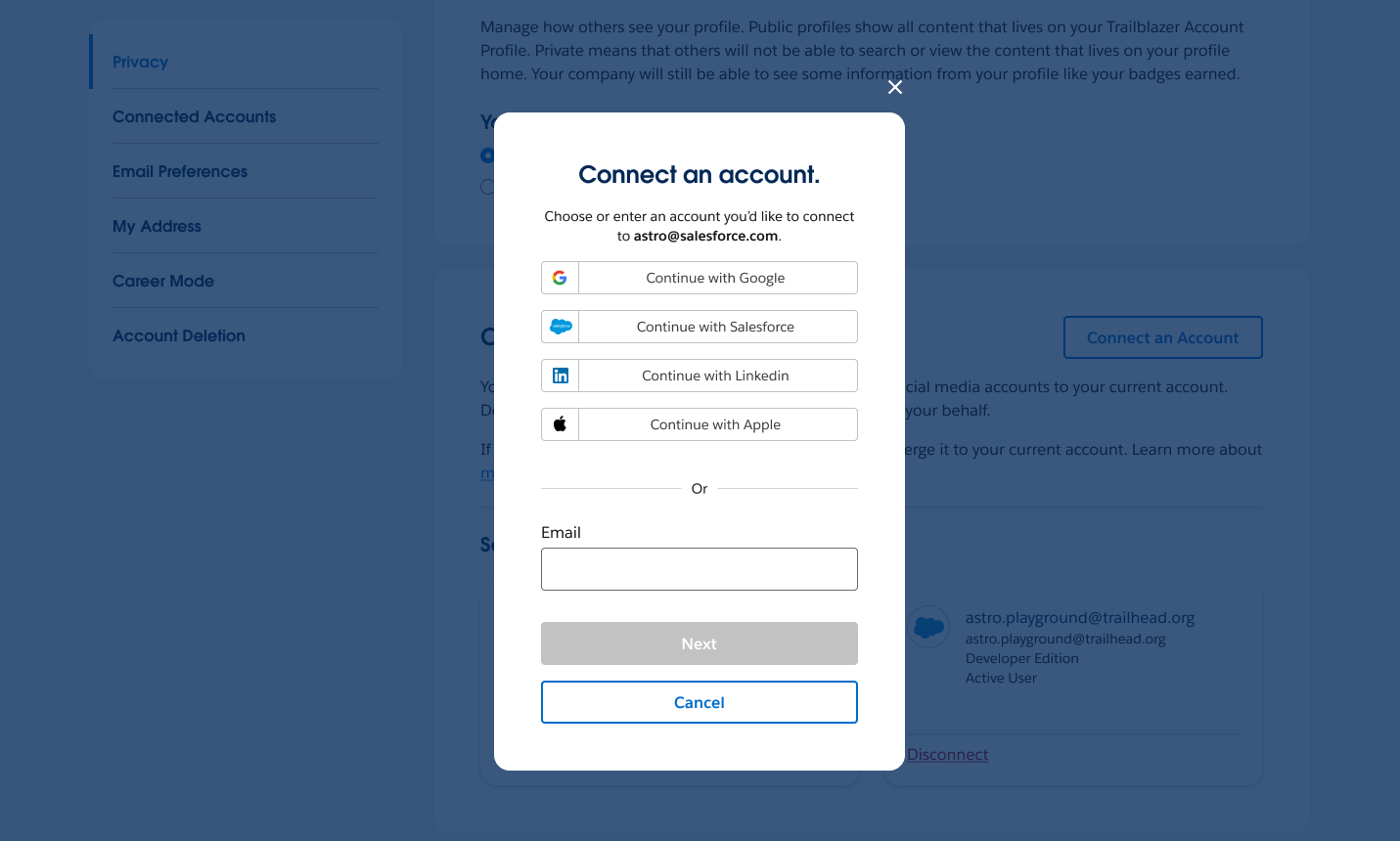
- Click Connect an Account, and log in with your secondary account.
- Complete the merge.

You’re all done!
If your accounts were merged but your account details aren’t correct, refresh your browser. Still not working? Contact Customer Support.
