After an admin configures the payout calculation schedule, payouts are calculated and
created as Rebate Program Member Payout records. Rebate payouts are created in the Program
Rebate Type Payout Source, Program Rebate Type Payout, and the Rebate Program Member Payout
objects. Program managers can also view the payout details in the Member Payouts related list of
Rebate Program Payout Period records.
Required Editions
Available in: Enterprise, Unlimited, and Developer Editions
that have Rebate Management enabled.
The following objects get updated regularly each time the scheduled flow to calculate payouts
run.
Program Rebate Type Payout Source: One payout source record is created for each aggregate
row generated by the calculation definition. It shows the rebate amount and the tier applied
for that aggregate.
Program Rebate Type Payout: Sums up all payout sources and provides a summary of rebate
amount for each rebate type. For example, the volume rebate for a program member in Jan 2020
could be $1,000, and the growth rebate for the same member and period could be $20,00.
Rebate Program Member Payout: Displays the rebate amount for the member and period. For
example, the rebate amount computed for a rebate program member in Jan 2020 could be
$21,000.
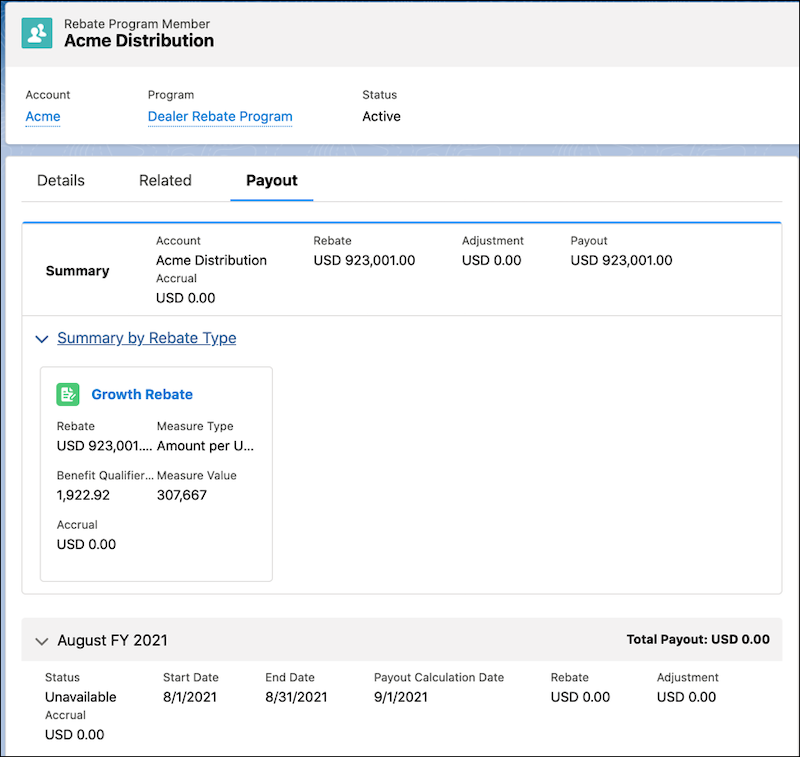
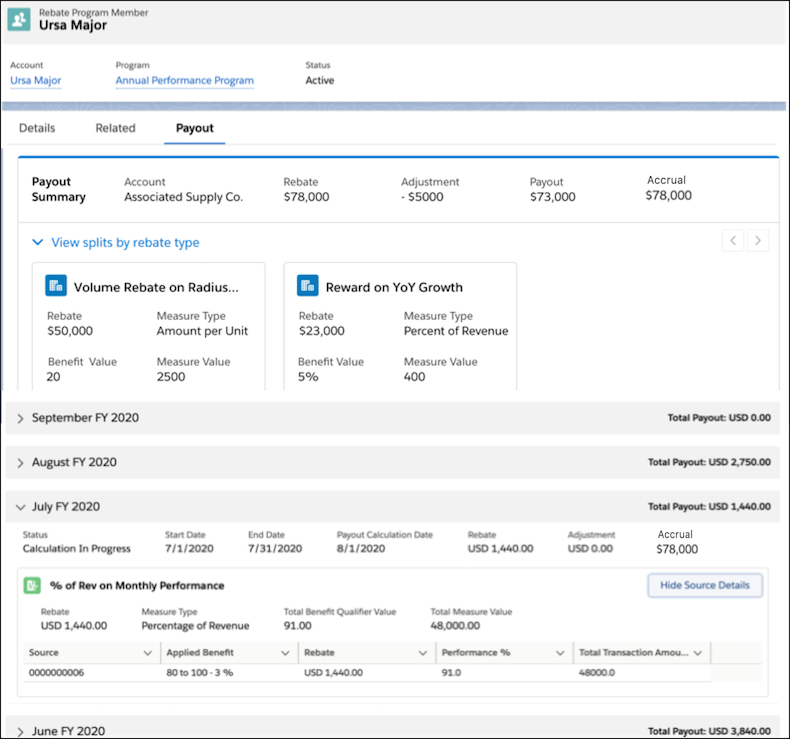
On the Payout tab of a Rebate Program Member record, find the following details:
Summary: Shows the total payout received by the account for all periods and all rebate
types.
Summary by Rebate Type: Shows the total payout received by the account for all periods,
for each rebate type.
One row for each payout period: Shows the total payout received by the account for each
payout period.
A Rebate Program Member Payout record can be in one of the following statuses.
Status
What Does It Mean?
Adjustments Allowed?
Calculation in Progress
The values get updated each time the scheduled flow to calculate payouts from
aggregate records run.
Yes
Calculated
The final values are updated on the payout calculation date of a payout period.
The payout period is closed on this date. You can either recalculate the payouts or
process them for payment to the partners.
Yes
Under Review
If your org uses standard approval processes to review payouts, the final payout
is either submitted for approval through an automated process or manually changed to
this status.
Yes
Approved
When the payout amount is approved by the users in the approval queue, this
status is updated.
No
Rejected
When the payout amount is rejected by the users in the approval queue, this
status is updated.
We use three kinds of cookies on our websites: required, functional, and advertising. You can choose whether functional and advertising cookies apply. Click on the different cookie categories to find out more about each category and to change the default settings.
Privacy Statement
Required Cookies
Always Active
Required cookies are necessary for basic website functionality. Some examples include: session cookies needed to transmit the website, authentication cookies, and security cookies.
Functional Cookies
Functional cookies enhance functions, performance, and services on the website. Some examples include: cookies used to analyze site traffic, cookies used for market research, and cookies used to display advertising that is not directed to a particular individual.
Advertising Cookies
Advertising cookies track activity across websites in order to understand a viewer’s interests, and direct them specific marketing. Some examples include: cookies used for remarketing, or interest-based advertising.